
To deploy an existing repository to a Bridge, add a Deploy test. Select Deploy Bridge Repository from the list of tests actions (see Creating Additional Tests).
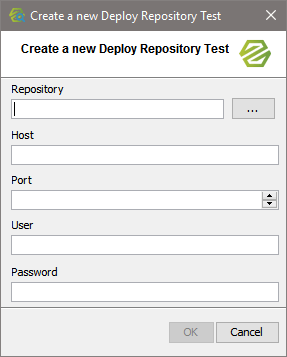
As a first step, select the repository document you want to deploy to a Bridge.
|
Icon |
Description |
|---|---|

|
Use this option to open a file browser. |
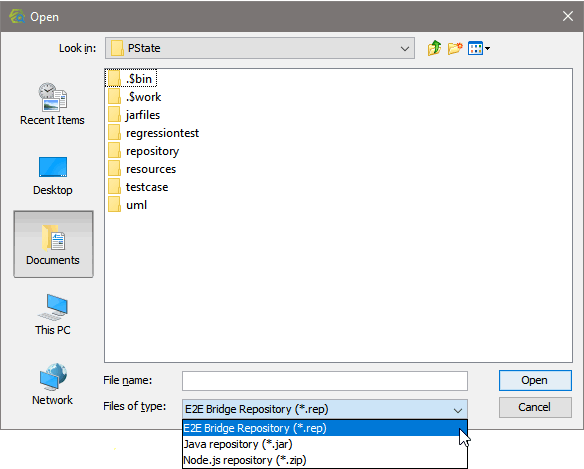
Select the type of repository you want to deploy, then select a repository file and click OK:
Specify a host, port and user credentials and click OK to proceed.
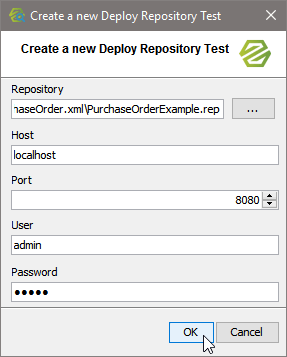
You can change these details later on in the test preferences.
Specify the Preferences of the Test Action
Specify the preferences of the test action. The preferences on the General and Compare tabs are adjusted accordingly. For more information on the test preferences refer to Modifying the Test Preferences.
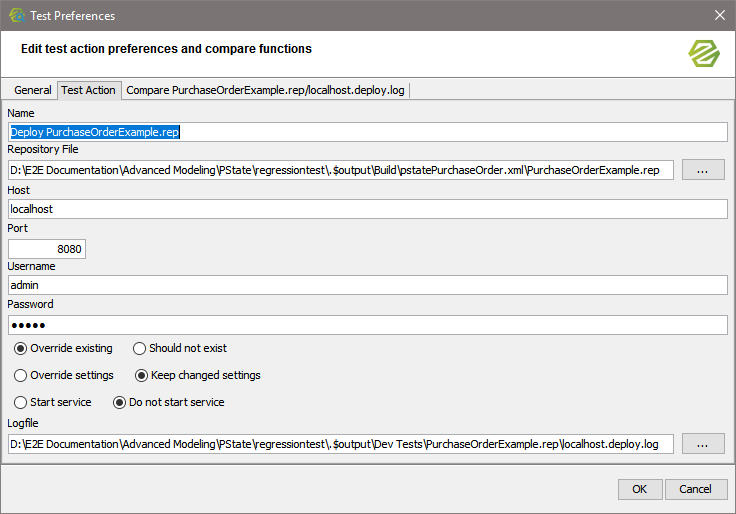
|
Field |
Description |
|---|---|
|
Name |
Specify the name of the test. As a default, Deploy repository of <name of the repository> is suggested. |
|
Repository File |
Specify name and path of the UML model you want to build the repository of. |
|
Host |
Specify the name of the Bridge, you want to deploy the service to. |
|
Port |
Specify the Bridge port. |
|
Username / Password |
Specify a valid username and password to access the Bridge. |
|
Deploy options |
Specify the deployment options. For more information on deployment options, refer to Deployment of xUML Services. |
|
Logfile |
Specify name and path of the logfile. The logfile will be used for compare tests. |
Prepare the Reference Data
As this test has never been run before, there is no reference data to compare the test result to - e.g. the start or stop log in the screenshot below (the same applies to all other kinds of tests). So running this test will always give an error.
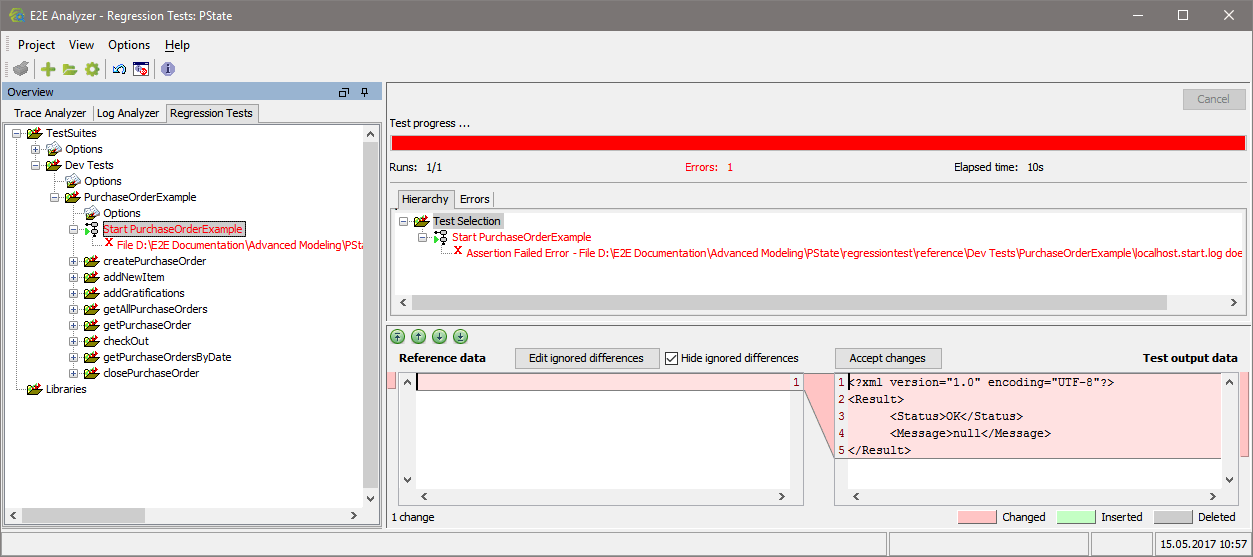
As this test has never been run before, there is no reference data to compare the test result to - e.g. the start or stop log in the screenshot below (the same applies to all other kinds of tests). So running this test will always give an error.
In the Compare Tool at the bottom of the Content pane you can see the reference data (blank) and the test output data (e.g. start log from the Bridge). Look at the test output data and on the Bridge. If the service started alright and the start log reads <Status>OK</Status>, click Accept changes.
This will result in the actual test output data being taken as reference data.

Stop the service on the Bridge an re-run the test. It is green now.